⌕
Search your way
Switch between Google, Bing and ChatGPT without leaving the search bar.
GWhat do you want to find?⌘ K
 Hamniva
Get Hamniva
Hamniva
Get Hamniva
Search, organize, plan and think with AI—inside one beautifully focused workspace that is ready before you are.
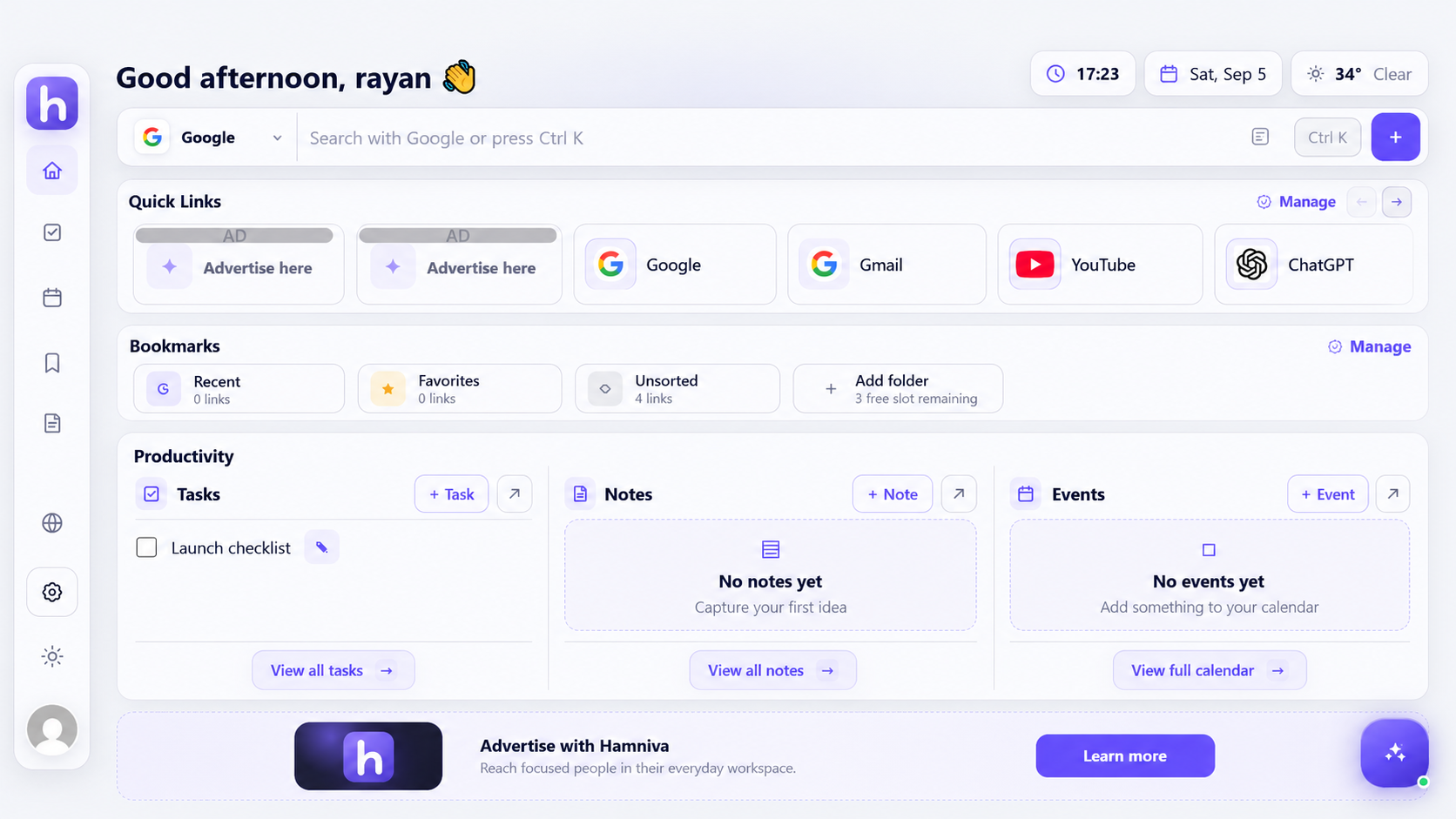
ONE TAB
ONE PLACE. LESS FRICTION.
Hamniva keeps the tools you use every day close, without turning your new tab into another crowded app.
Switch between Google, Bing and ChatGPT without leaving the search bar.
Tasks, notes and events stay visible and easy to act on.
Ask questions, summarize content and turn ideas into actions while you browse.
Keep folders, favorites and recent links within one click.
Your changes happen immediately on your device, then sync safely in the background when you sign in.
See the essentials at a glance, with weather for cities you choose.
Explore months, public holidays and your own events in a polished calendar view.
Start without friction. Sign in later to securely merge local work and keep it available across sessions.
HAMNIVA AI
Use AI inside your new tab—or take the optional Pro companion with you while browsing. It can understand the page, explain search results and turn answers into real actions.
I found three useful ideas. I can save the summary and create a task for tomorrow.
FROM OPEN TO DONE
Hamniva connects the small actions that shape your day, so your browser feels like one continuous workspace.
Start from a calm, personal dashboard.
Search with the engine or AI tool you prefer.
Turn what matters into a note, task or bookmark.
Return later with everything where you left it.
THE COMPLETE WORKSPACE
START SIMPLE
Use the essentials free. Upgrade when you want the full browser companion and more AI power.
Free
Pro
GOOD TO KNOW
It replaces your standard new tab with one focused workspace for search, links, bookmarks and daily planning.
Yes. Core features work locally as a guest. An account adds cloud sync and access across supported devices.
No. The browser companion is optional, available with Pro, and only runs after you enable it.
Your local items are available immediately and are merged into your account in the background.
HAMNIVA FOR CHROME
Hamniva is preparing for its Chrome Web Store launch.
Launch access will be available here.